


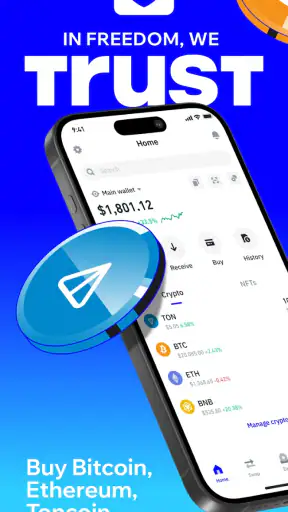

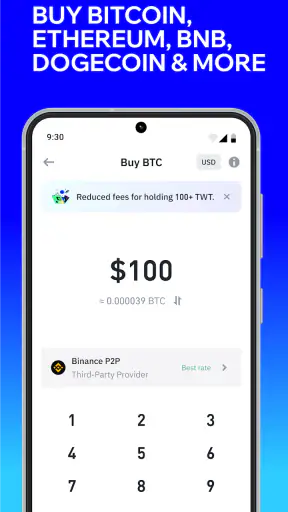
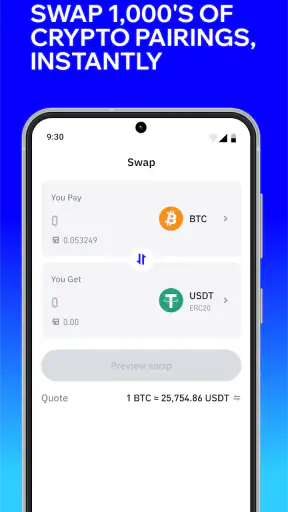
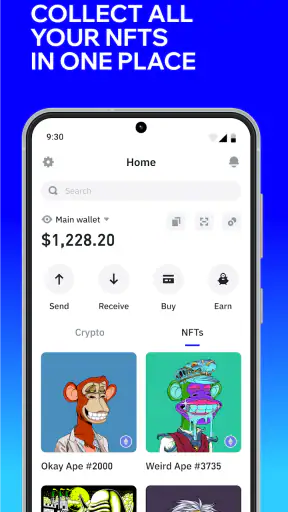
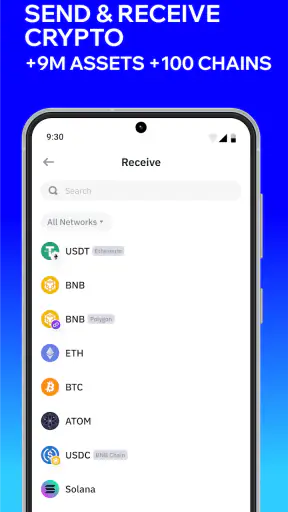
I found Trust: Crypto & Bitcoin Wallet most useful when I treated it as a personal financial tool rather than a shared household account. It is a free finance app from DApps Platform, Inc. that brings buying, selling, swapping, and earning into a self-custody wallet. That combination makes it appealing for someone who wants direct control of digital assets, but it also creates responsibilities that are easy to underestimate when more than one person uses the same phone or tablet.
My first impression was that the app is designed for people who want several crypto tasks in one place. Instead of moving between a trading service, a separate wallet, and another app for token swaps, I could approach those activities from the same wallet environment. The convenience is real, although it does not remove the need to understand network fees, addresses, recovery details, and the consequences of approving a transaction.
How Trust fits into everyday household use
A realistic household example would be a couple where one person follows crypto markets and the other occasionally needs to check a balance or approve a transfer. Trust can be installed on a shared device, but I would not treat that as equivalent to having a shared bank account. A self-custody wallet is built around control of the wallet credentials, so whoever can unlock the device or access the wallet may have meaningful control over the assets.
That distinction matters more here than it would with a normal budgeting app. In a household finance tracker, two people might simply review the same spending categories. With Trust, a mistaken tap, a copied address, or an exposed recovery phrase can have consequences that are difficult or impossible to reverse. My practical advice is to decide before installation whether the wallet belongs to one person, both adults jointly, or a particular household project.
For personal use, I liked the idea of keeping a small working balance available for swaps or transfers while leaving the majority of long-term holdings elsewhere. I would not use a shared phone as the only place for important savings. That is not a criticism unique to this app; it is a basic self-custody trade-off. The app gives you direct control, and direct control means you also carry the responsibility for access and transaction decisions.
The app’s broad reach helps explain why it feels more established than a newly launched wallet. It has passed over 50 million installs and holds a 4.5 average from around 2.5 million ratings. Those numbers do not guarantee that every feature or supported asset will suit every user, but they do make it easier to see why someone might choose it over an unfamiliar wallet with little user history.
One device, separate responsibilities
If several people need access, I would create clear boundaries before anyone opens the wallet. The first boundary is ownership: identify whose assets are actually inside it. The second is operational access: decide who may view balances, initiate swaps, send funds, or change anything related to wallet recovery. The third is physical access: decide whether the device is normally locked and whether other household members can use it unsupervised.
I would also avoid saving a recovery phrase in a shared notes app, taking a screenshot of it, or leaving it where children or visitors could see it. Trust cannot turn a casually shared device into a safely shared vault. The recovery phrase is the part that deserves the most careful handling, because losing it can leave you unable to restore the wallet, while exposing it can put the assets at risk.
When setting up the app, I would use a quiet moment rather than rushing through the process while helping someone else. Write down the recovery information carefully, check each word, and store it offline in a place that the wallet owner can reach but ordinary device users cannot. I would not photograph it or send it through a household messaging group. Those habits are more important than choosing a stylish wallet screen.
Another useful boundary is to separate learning from real money. A new user can first explore the interface, read transaction details, and understand how a network is selected before sending anything valuable. For a first transfer, I prefer a small test amount, a carefully checked destination, and enough time to confirm that the recipient received it. The app makes crypto actions accessible, but accessibility can tempt people to move too quickly.
Coordinating swaps, transfers, and shared goals
Trust is especially convenient when one person handles several kinds of crypto activity. I could imagine using it for a personal spending wallet, a small investment allocation, or a household experiment with digital assets. The important point is to record decisions outside the app when more than one person is involved. A simple shared document can state which funds belong to whom, what a transfer was for, and who approved it.
That record helps because a wallet address is not always an obvious description of a household expense. If one person sends funds for a bill, a gift, or a shared investment, the other person may not recognize the transaction later from the address alone. I would note the date, purpose, asset, and destination label without putting any secret recovery information in the document.
Before a swap, I would check the asset, the network, the amount, and the final transaction details rather than relying on a quick glance at a token name. This is one of the less obvious habits that can prevent trouble: a familiar-looking asset may exist on more than one network, and sending or swapping without understanding that distinction can create unnecessary complications. I would also leave room for network fees instead of assuming the full visible balance is available to move.
For a shared goal, such as saving a small amount for a trip or experimenting with a new token, I would make the ownership arrangement explicit. Is one person legally and practically responsible for the wallet, or are both people simply contributing to an account controlled by one person? Trust can hold the assets, but it does not create a household agreement. That agreement needs to exist between the people using it.
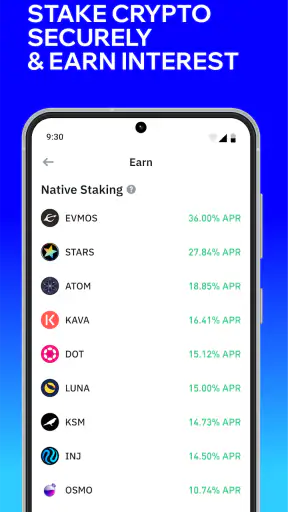
The same approach applies to earning features. I would read the terms and understand what action is being approved before committing assets. “Earning” can sound passive, but in crypto it may involve lock-up periods, network choices, smart-contract interaction, or changing access to funds. I would never treat a button labelled with a positive return as a substitute for understanding the underlying arrangement.
What the app does well for an individual user
For me, the strongest part of Trust is the combination of self-custody and a wide set of everyday crypto actions. I do not need to think of it only as a place to hold Bitcoin. Its purpose is broader: I can approach buying, selling, swapping, and earning from a wallet that I control. That makes it more flexible than a basic wallet that focuses only on receiving and sending.
The free price also lowers the barrier to trying it. I would still distinguish between the app being free to install and crypto transactions being cost-free. Network fees, exchange rates, and other transaction conditions can affect what a user ultimately receives. Anyone comparing it with a conventional exchange should look at the complete transaction experience, not just the download price.
I also appreciated that the app is aimed at a general audience rather than a narrow professional niche. Its content rating is Everyone, and it supports devices running Android version 9 or later. That makes it accessible to many households, but an age label should not be confused with financial readiness. A child may be able to open an app, yet still be unable to understand irreversible transfers, volatile prices, or the importance of wallet recovery information.
The current version is 26.34.16, which tells me the product has continued to evolve rather than remaining a one-time wallet release. Even so, I would still review every screen after an update before making a significant transfer. Interface changes can affect where transaction details, network selections, or security prompts appear, and familiarity should never replace checking the actual confirmation screen.
Age, trust, and teaching responsibility
In a household with teenagers, I would use Trust as a teaching tool only with a very small amount and close supervision. I would explain that the wallet is not a game, that prices can move sharply, and that a transaction sent to the wrong address may not be recoverable. I would also make it clear that the recovery phrase is private, even from friends and casual helpers.
I would not hand over an unlocked shared device and assume that everyone understands the difference between viewing a balance and authorizing a transaction. A younger user might recognize a token logo but not understand the network behind it. They might also approve a prompt simply because it looks like the next step. The safest learning workflow is to discuss what each action means before any real funds are involved.
The app’s Everyone rating is useful as a broad accessibility signal, but it does not provide a substitute for household rules. Parents or guardians should decide whether a young person may only observe, may receive a tiny educational amount, or should not use the wallet at all. For many children, a simulated lesson or a supervised explanation is more appropriate than actual access to a self-custody wallet.
Trust between adults needs similar clarity. If a partner asks to use the wallet, I would not share a recovery phrase casually. I would first discuss whether that person needs to see balances, help prepare a transaction, or actually control the assets. Those are different levels of access. If the household cannot agree on them, I would keep the wallet personal rather than creating an unclear shared arrangement.
Where it beats familiar alternatives, and where it does not
Compared with leaving all crypto on a centralized exchange, Trust gives the wallet owner a more direct relationship with the assets. That can be attractive to someone who does not want every action to depend on an exchange account. The trade-off is that a centralized service may feel more familiar for account recovery, customer support, and conventional buying workflows, while self-custody places more responsibility on the user.
Compared with a simple single-purpose wallet, Trust is more appealing if I want buying, swapping, and earning alongside storage. The extra breadth is also the source of some friction. More choices mean more chances to select the wrong network, misunderstand a token, or approve an action without reading its details. Someone who only wants to receive one asset occasionally may prefer a simpler interface.
Compared with a hardware wallet, Trust is more convenient for mobile activity. I can use a phone rather than carrying another device, which suits small transactions and frequent checks. A hardware wallet can be a better fit for someone prioritizing long-term storage and keeping signing keys away from an everyday phone. I would not choose Trust as the sole solution for every type of holding simply because it is easier to open.
Compared with a traditional personal finance app, Trust is not a replacement for budgeting, bill tracking, or household reconciliation. It is a crypto wallet, not a complete view of income and expenses. I would pair it with a separate budget if the goal is to understand household cash flow. The two tools solve different problems, and forcing one app to do both would make financial planning less clear.
Small habits that make the experience safer
My first practical habit is to pause at the final confirmation screen. I check the destination, asset, network, and amount every time, even when I have used the same address before. Copying and pasting reduces typing errors, but it does not prove that the copied address belongs to the intended recipient. For a new destination, I would verify it through a second trusted channel.
My second habit is to keep a written household record of ownership without recording secrets. This is particularly useful when one wallet contains personal funds and shared funds. I would label the purpose of each contribution and review the arrangement periodically. That simple separation prevents a later argument about whether a balance was an individual holding or a joint project.
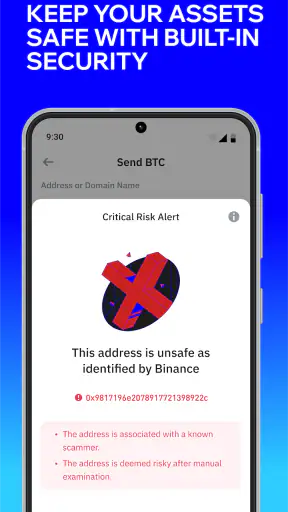
My third habit is to treat unexpected prompts with suspicion. If a website, message, or person asks for the recovery phrase, I would stop. The phrase should not be entered merely to claim a reward, fix a problem, or unlock an earning opportunity. I would also avoid approving a transaction when I do not understand what it does, even if the request appears inside a familiar workflow.
Finally, I would keep the app and the phone itself under sensible security practices. Use the device lock, avoid leaving the wallet open on a shared screen, and do not let convenience turn into permanent unattended access. These steps are not glamorous, but they matter more in a family environment where people may borrow one another’s devices.
My household verdict
After using it as a self-custody finance app, I see Trust as a strong choice for an adult who wants one mobile wallet for multiple crypto activities and is willing to take responsibility for security. The free entry point, broad functionality, and established user base make it approachable. I especially like it for a personal working wallet, small transfers, and users who want more flexibility than a basic receive-and-send tool.
I would be more cautious about using it as a shared household vault. The app does not remove the need to define ownership, protect recovery information, or coordinate every transaction. For a couple with clear rules and modest balances, it can fit well. For a family wanting simple joint budgeting, child-friendly supervision, or conventional customer-service recovery, a bank account, budgeting app, centralized exchange, or hardware wallet may be a better match depending on the goal.
My recommendation is to start narrowly: install it on a personally controlled device, learn the wallet workflow with a small amount, and write down your household boundaries before inviting anyone else to interact with it. If you value direct control and understand the risks, Trust can be a practical everyday crypto companion. If you mainly want effortless shared finance management, its self-custody model is likely to feel like extra responsibility rather than extra convenience.


